ScreenDrafter vs Shottr vs CleanShot X
Quick verdict
- Shottr — the best free Mac screenshot app. Fast, lightweight, loved by developers.
- CleanShot X — the most feature-rich. Capture, recording, GIFs, and cloud in one polished suite.
- ScreenDrafter — the most private, with on-device AI file-naming and a simple one-time $9.
None of these is a bad choice. The right one depends on whether you value price, breadth of features, or privacy and searchable naming. Let's break it down honestly.
Pricing compared
Price is often the deciding factor, so let's be clear about it up front:
- Shottr — free for personal use; a low-cost Pro license unlocks a few extras. Effectively the cheapest option.
- CleanShot X — paid: a higher one-time license, or included in a Setapp subscription (monthly, bundled with many other apps). The most expensive of the three, but you get the most.
- ScreenDrafter — a 30-day free trial, then a one-time $9. No subscription, no account. Cheapest paid app here.
If you never want to pay, Shottr wins. If you want the lowest paid price with no recurring fee, ScreenDrafter wins. If you're already on Setapp or want the widest feature set, CleanShot X makes sense.
Feature-by-feature
Here's how the three line up on the features people actually compare. This is our honest read as of 2026 — all three ship updates often, so check each app's site for the latest.
| Feature | ScreenDrafter | Shottr | CleanShot X |
|---|---|---|---|
| Capture speed | Fast — native, ~3 MB | Very fast — famously light | Fast |
| Scrolling capture | Yes | Yes | Yes |
| OCR (text from image) | Yes — on-device | Yes | Yes |
| AI file-naming | Yes — on-device, unique | No | No |
| Annotation | Yes — arrows snap to text, pixel loupe | Yes — strong, dev-friendly | Yes — the most polished |
| Combine shots / board | Yes — combine into a board | No | Yes |
| Screen recording / GIF | No | No | Yes — video + GIF |
| Sharing | Quick-share coming soon | Local + basic upload | Yes — self-hosted cloud |
| Backgrounds / beautify | Yes — Beautify backgrounds | No | Yes |
| Privacy / on-device | Fully on-device, no account | Local by default | Local, cloud on upload |
| Platform | macOS | macOS | macOS |
| Price | One-time $9 (30-day trial) | Free / low-cost Pro | Paid license or Setapp |
The pattern: CleanShot X is the broadest (it's the only one with video and GIF recording), Shottr is the leanest and cheapest, and ScreenDrafter is the only one that names your screenshots for you on-device. Pick the row that matters most to you.
Who should pick which?
Pick Shottr if…
You want a fast, free, lightweight tool for everyday capture and quick annotation, and you're comfortable with a dev-oriented feature set. It's a deservedly popular pick, especially for developers who just want to grab, mark up, and move on.
Pick CleanShot X if…
You want the most complete capture suite — screen recording, GIFs, scrolling capture, cloud sharing, and beautiful annotation — and you don't mind paying more (or you're already on Setapp). It's the most polished and feature-rich of the three.
Pick ScreenDrafter if…
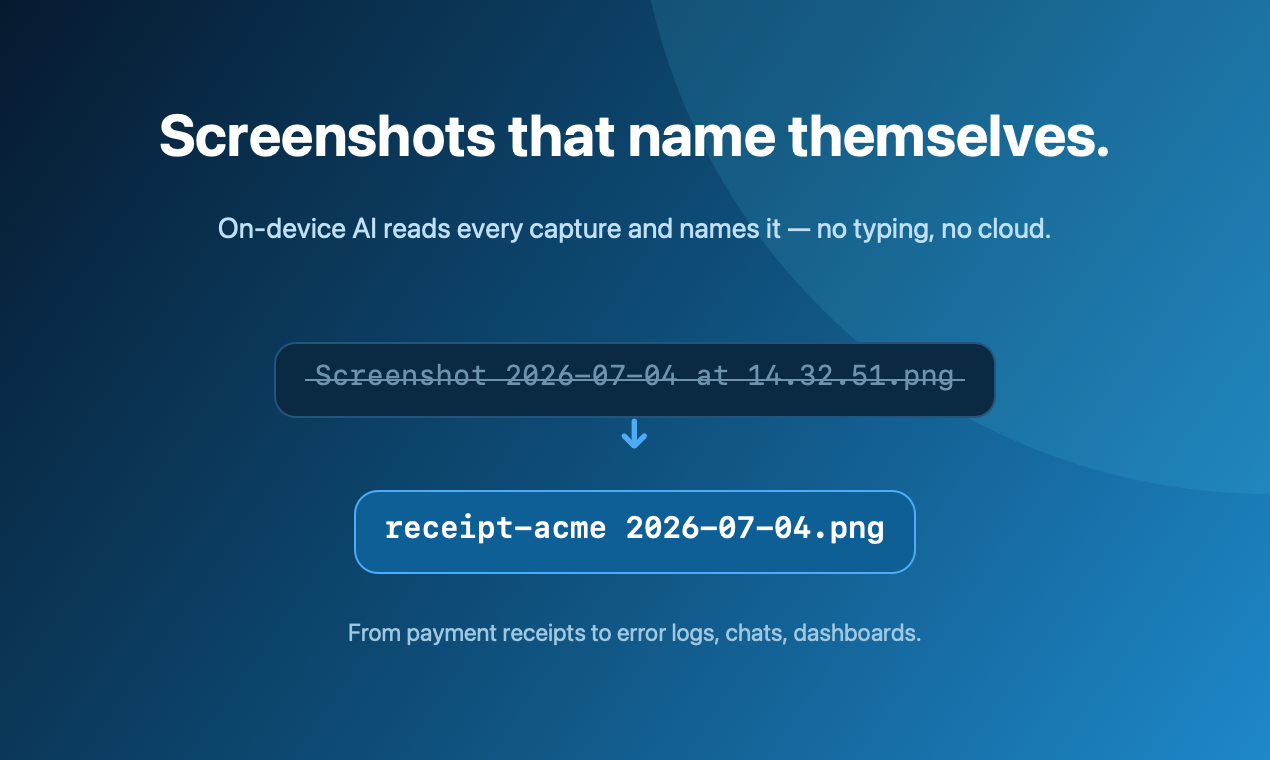
You want screenshots that are actually findable later, without typing filenames, and you care about privacy. ScreenDrafter's on-device AI reads each capture and suggests a descriptive name (receipt-acme 2026-07-07.png instead of a timestamp), everything runs locally with no account, and it's a simple one-time $9. If you also like arrows that snap to text, a pixel loupe, combining shots into a board, and Beautify backgrounds in a ~3 MB native app, it's an easy pick.
Try the private, self-naming one
Free for 30 days · ~3 MB · one-time $9 · no account. Your Mac, your data.
Get ScreenDrafter for MacFAQ
Is ScreenDrafter better than Shottr?
It depends what you need. Shottr is fast, popular, and free for most personal use — a great pick if you mainly want quick capture and annotation. ScreenDrafter adds on-device AI file-naming (which neither Shottr nor CleanShot X has), full on-device privacy with no account, and a one-time $9 after a 30-day trial. For searchable, auto-named screenshots, ScreenDrafter has the edge; for a fast free grab-and-annotate tool, Shottr is excellent.
Is CleanShot X worth it?
Yes, for many people. It's the most polished and feature-rich of the three — screen recording, GIFs, scrolling capture, a self-hosted cloud, and a beautiful annotation toolset. The tradeoff is a higher price (one-time license or a Setapp subscription) and a heavier app. If you want an all-in-one capture-and-recording suite, it's worth it.
What's the cheapest Mac screenshot app?
Shottr is effectively free for personal use, so it's the cheapest overall. Among paid apps, ScreenDrafter is the most affordable at a one-time $9 with a 30-day trial and no subscription. CleanShot X costs more, either as a larger one-time license or bundled into monthly Setapp.
Which is most private?
ScreenDrafter is built to run fully on-device — capture, OCR, and AI naming all use Apple's Vision and NaturalLanguage frameworks locally, with no account and nothing uploaded. Shottr is also local and privacy-friendly by default. CleanShot X keeps captures local too, but its cloud-sharing feature uploads images when you use it.
Related: best free Mac screenshot tools → · a Shottr alternative for Mac → · more ScreenDrafter guides →